

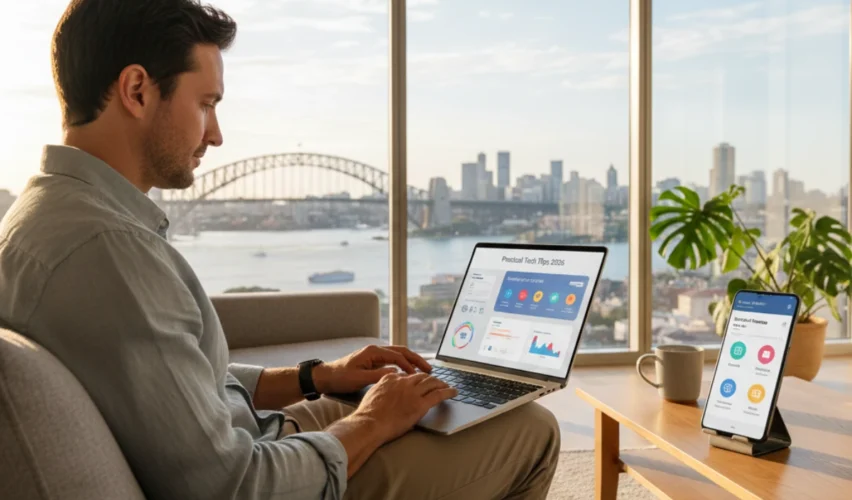
Technology moves fast — and keeping up can feel like trying to read every notification on your phone while riding a kangaroo (okay, maybe not literally, but you get the idea). In Australia, a growing digital lifestyle makes tech essential, but it can also be overwhelming.
This guide provides practical, everyday tech tips Australia can use in 2026 to simplify digital life, boost productivity, and stay safe online. Whether it’s apps, devices, or online habits, these tips help Australians work smarter, not harder.
Quick Overview (Snapshot Summary)
- Manage devices efficiently
- Protect yourself online with simple security measures
- Use apps and tools to simplify work, home, and personal life
- Small digital habits make a big difference over time
Want actionable tips to simplify your tech life? Keep reading!
1. Keep Your Devices Organised
Digital clutter can slow you down and stress you out.
Tips:
- Clean up desktop and phone apps you don’t use
- Set folders for files and photos
- Use cloud storage (Google Drive, OneDrive, or iCloud) to avoid losing important files
Pro Tip: Naming files sensibly saves you hours later. “Invoice_March2026_ClientA.pdf” beats “doc1.pdf,” every time.
2. Use Password Managers
Remembering dozens of passwords is tough — and Australians are great at reusing them (oops).
Tip: Use a password manager like 1Password or LastPass to:
- Generate strong, unique passwords
- Store and autofill them securely
- Reduce the risk of cyber attacks
Humour check: Your dog’s birthday plus “123” is not a secure password — even if you love your dog.
3. Protect Yourself Online
Cybersecurity is critical in 2026 with phishing emails, scam websites, and malware targeting Australians daily.
Simple actions:
- Enable two-factor authentication (2FA) on emails and banking apps
- Avoid clicking suspicious links
- Keep devices updated with the latest security patches
Source: Australian Cyber Security Centre (ACSC)
https://www.cyber.gov.au
4. Optimise Your Workflow with Apps
Australians are busier than ever. Technology can make life simpler if used wisely.
Top app categories:
- Task management: Trello, Todoist
- Communication: Slack, Microsoft Teams
- Finance: Afterpay, Bank app alerts
- Health & Wellness: Headspace, Fitbit
Pro Tip: Don’t overload with apps — choose a few reliable ones and stick with them.
5. Automate Where You Can
Automation saves time and mental energy.
Examples:
- Set recurring bill payments
- Automate email filters and labels
- Use smart home devices for lights, temperature, or reminders
Did You Know? Even small automations, like automatic calendar reminders, can reduce daily stress and mental load.
6. Manage Screen Time and Notifications
Digital life is convenient — but too many notifications = constant distraction.
Tips:
- Set “Do Not Disturb” during work or sleep
- Batch notifications to check only a few times a day
- Track screen time to identify apps that waste time
Humour check: Yes, it’s possible to survive without checking Instagram every 5 minutes.
Interactive Checklist: Simplify Your Digital Life
- Clean up and organise devices
- Use a password manager
- Enable 2FA on important accounts
- Limit apps to essential tools
- Automate repetitive tasks
- Set screen time limits and batch notifications
FAQs — Tech Tips Australia
Q1: Are these tips suitable for both work and home?
Yes! They are designed to simplify digital life in any setting.
Q2: Do I need to buy new devices for better productivity?
Not necessarily. Optimising existing devices and using apps efficiently is often enough.
Q3: Can small habits actually reduce stress?
Absolutely. Reducing digital clutter, notifications, and repetitive tasks can improve mental wellbeing.
Q4: How do I start without feeling overwhelmed?
Pick one or two tips from the checklist and implement them first. Gradually add more.
Conclusion
Simplifying your digital life in Australia doesn’t require the latest gadgets or extreme tech hacks. By organising devices, using strong passwords, protecting yourself online, optimising apps, automating tasks, and managing screen time, Australians can enjoy a calmer, more productive digital life in 2026. Start small, focus on consistency, and choose tools that actually help. With these practical tech tips Australia can rely on, you’ll spend less time stressing over technology and more time using it to work smarter, stay connected, and live well.
Disclaimer
This article is for informational purposes only. It does not replace professional IT, cybersecurity, or legal advice. For critical security issues or major IT decisions, consult certified professionals.